
Discuss EtherCAT/CAN FD requirements, sample availability, and lead-time assumptions.

GaN Servo Drives LogoGaN Servo Drives
Request RFQ
GaN Servo Drives LogoGaN Servo Drives

High-performance GaN servo drives and motion electronics manufactured in Shenzhen & Dongguan.

Inquiry Email

[email protected]

Email app

Include voltage, current, motor, encoder, protocol, board envelope, and quantity stage.

Instant Chat

+86 18857971991

Chat on WhatsApp

Direct response from our engineering team.

Products
  • GaN Low-Voltage Servo Drives
  • 48V Servo Driver Board
  • Driver-Encoder Integrated Servo Board
  • Robot Joint Servo Drive
  • EtherCAT 48V Servo Drive
  • CAN FD Servo Drive
Solutions
  • Humanoid Robot Joints
  • Collaborative Robot (Cobot) Joints
  • AMR and Mobile Robot Servo Drives
  • Exoskeleton and Prosthetics Servo Drives
  • GaN Servo Drive Selection Guide
  • EtherCAT & CAN FD Integration
OEM Capabilities
  • OEM Robot Joint BOM & Customization
  • Rigorous Compliance & Quality Control
  • Deep OEM Custom Solutions
  • Engineering File Request Center & CAD Resources
Resources
  • Blog
  • Factory
  • Contact / RFQ
  • Privacy Policy
  • Cookie Policy
  • Terms of Service
© 2026 GaN Servo Drives. All Rights Reserved.|Backed by Linkup Ai Co., Ltd. Manufacturing delivered by the Advanced Manufacturing Division of Linkup Precision.|Legal entity: Linkup Ai Co., Ltd.
← Back to OEM Capabilities

Engineering File Request Center & CAD Resources

Request hub for 3D CAD envelopes, PDF specification sheets, interface pinouts, and TwinCAT ESI files tied to the quoted hardware revision.

Best Fit For:Mechanical Designers, Hardware Integrators, Software Engineers
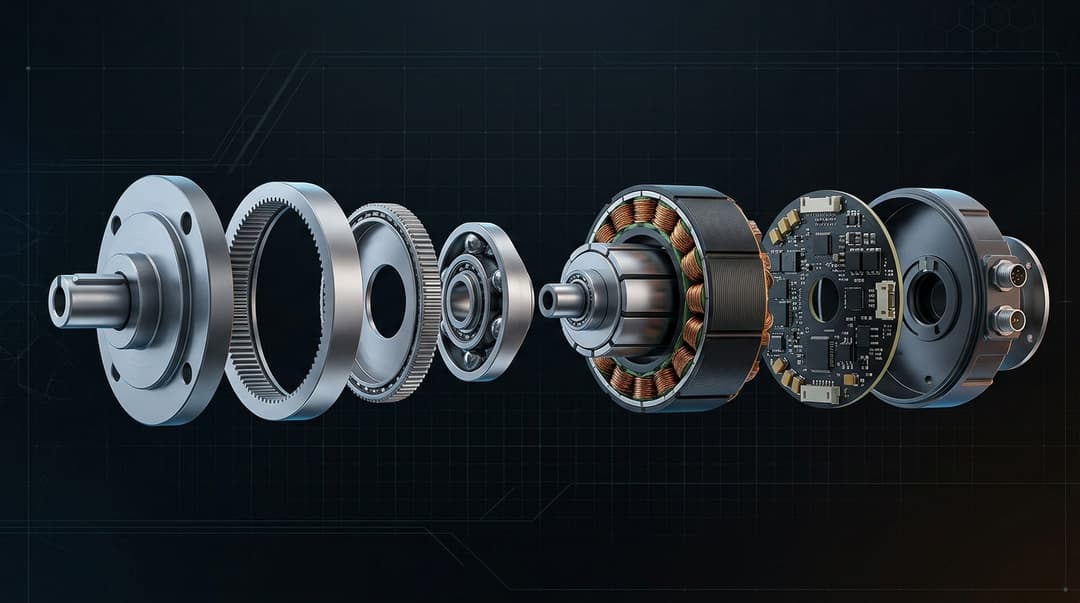
Engineering file request center and CAD resources

Overview

The Engineering File Request Center provides a structured way for buyer-side mechanical designers, hardware integrators, and software engineers to obtain the technical files needed for pre-purchase integration planning and post-delivery commissioning. Available file types include 3D CAD envelope models in STEP and IGES formats for mechanical interference checking in SolidWorks, Fusion 360, or NX, PDF specification sheets with electrical ratings and derating curves, connector pinout diagrams with mating part numbers, and EtherCAT ESI XML files tied to specific firmware revisions for TwinCAT or IgH master configuration. The most important principle for engineering file management in a custom robotics drive program is version control: every CAD envelope, pinout document, ESI file, and firmware parameter set must be explicitly tied to a hardware revision label so that buyer-side engineering teams can verify they are designing against the same revision that will actually ship in the prototype sample. Using files from a previous revision is the single most common cause of mechanical interference surprises and EtherCAT commissioning failures. Envelope STEP models can typically be shared early in the RFQ process for qualified inquiries, while detailed internal PCB layout files may require a signed NDA and are usually released only after a firm sample order. We recommend that buyers request all needed engineering files at the RFQ stage and include them in the sample acceptance checklist so that integration validation can begin as soon as hardware arrives.

Capability Highlights

  • 3D CAD Models (STEP/IGES)
  • PDF Data Sheets & Pinouts
  • TwinCAT ESI / XML files by revision
  • ROS2 / controller integration notes when available

Typical Engagement Scope

  • Mechanical Integration Check
  • Software Configuration
  • PCB Footprint Design

Execution Focus

  • Interference / Envelope checking
  • EtherCAT Object Dictionary setup
  • Connector mating specifications

Specification Snapshot

Use these buyer-side parameters to decide whether this page matches your architecture before starting a formal quotation thread.

ParameterTypical DirectionBuyer Note
Available filesPDF data sheets, STEP/IGES envelopes, pinouts, ESI XML on requestEnvelope models can usually be shared early; internal PCB details may require NDA.
Best useMechanical interference, connector selection, commissioning prepUse files before sample purchase to reduce avoidable fit and commissioning issues.
Version controlFile revision tied to hardware and firmware baselineAlways quote or validate against the same revision that will ship.

Selection Logic Before RFQ

Use this flow to decide whether the page is a practical match before comparing unit price or sample lead time.

CheckpointDecision InputBuyer Action
1. Confirm buyer fitMechanical Designers, Hardware Integrators, Software EngineersUse this page when the project involves Mechanical Integration Check, Software Configuration, PCB Footprint Design.
2. Define operating windowAvailable files: PDF data sheets, STEP/IGES envelopes, pinouts, ESI XML on requestEnvelope models can usually be shared early; internal PCB details may require NDA.
3. Lock integration constraintsBest use: Mechanical interference, connector selection, commissioning prepConvert Interference / Envelope checking, EtherCAT Object Dictionary setup, Connector mating specifications into measurable RFQ values before asking for final pricing.
4. Gate sample approvalDocument index with revision IDs and Connector and pinout confirmationRequest this evidence with the sample or pilot quote so acceptance criteria are clear before PO.

Buyer Decision Notes

  • Request CAD and pinout files before freezing the actuator housing.
  • Ask for ESI/object files at RFQ stage if EtherCAT commissioning is part of the project.
  • Confirm which documents are public, NDA-protected, or released only after sample order.

Factory & Delivery Capability

  • Engineering file preparation for envelope checks, connector matching, and commissioning when a revision is selected.
  • Revision control between CAD, PCBA, firmware, and outgoing sample records.
  • Documentation packaging for buyer-side mechanical, electrical, and software teams.

Program Evaluation Matrix

Program MetricTypical RangeWhy It Matters
CAD FormatsSTEP (.stp), IGESNative support for SolidWorks, Fusion 360, and NX for interference checking.
Control EcosystemTwinCAT, ROS2, MOTORCORTEXRevision-matched configuration files reduce commissioning risk and avoid object-dictionary mismatches.

RFQ Preparation Checklist

  1. Request specific CAD envelope models
  2. Confirm software firmware versions
  3. Check mating connector part numbers

Risk and Mitigation

  • Mechanical Interference: Request envelope STEP models that include PCBA thickness, connector overhangs, and the revision ID.
  • Software Integration Delay: Request ESI XML, object dictionary, and master compatibility notes before hardware arrives.

Validation Evidence to Request

EvidenceWhy It Matters
Document index with revision IDsKeeps buyer engineering teams aligned with the exact hardware and firmware shipped.
Connector and pinout confirmationReduces harness mistakes and first-power-up delays.

Production, QC, and Delivery Flow

Treat the flow below as a minimum evidence path from inquiry to pilot release. It keeps engineering, quality, and purchasing aligned before a repeat order.

StageWhat to CheckEvidence / Output
1. NPI baselineRequest specific CAD envelope models, Confirm software firmware versions, Check mating connector part numbersLocked revision scope, commercial stage, critical-to-quality list, and quote assumptions.
2. Supplier and process planEngineering file preparation for envelope checks, connector matching, and commissioning when a revision is selected.AVL direction, process route, change-control owner, and sample build schedule.
3. First article / EOL gateDocument index with revision IDsKeeps buyer engineering teams aligned with the exact hardware and firmware shipped.
4. Batch releaseSerial tracking, firmware version, packaging, and shipment planRepeat-production release package for purchasing and quality teams.

RFQ Starter

For engineering files, send the target product, required CAD or data-sheet format, firmware/protocol version, mating connector needs, and project stage.

Open Contact / RFQ Checklist

Buyer FAQ

Do I need an NDA to request 3D models?

Envelope models can usually be shared early for qualified RFQs. Detailed internal PCB layouts require supplier approval and may require an NDA.

Are ESI files included with prototype orders?

Standard EtherCAT prototype orders can include revision-matched ESI files and commissioning notes when that firmware package is part of the quote.

What data should we send for Engineering File Request Center & CAD Resources?

For engineering files, send the target product, required CAD or data-sheet format, firmware/protocol version, mating connector needs, and project stage.

How should Engineering File Request Center & CAD Resources be validated before pilot build?

Request Document index with revision IDs. Keeps buyer engineering teams aligned with the exact hardware and firmware shipped.

When is Engineering File Request Center & CAD Resources the right page to review?

Use the OEM path when sourcing, validation, revision control, and repeat delivery matter as much as the first sample. A good first screen is available files: PDF data sheets, STEP/IGES envelopes, pinouts, ESI XML on request.

Recommended Next Pages

  • Products
  • EtherCAT and CAN FD integration
  • Contact / RFQ

Inquiry Email

[email protected]

Email app

Include voltage, current, motor, encoder, protocol, board envelope, and quantity stage.

Instant Chat

+86 18857971991

Chat on WhatsApp

Direct response from our engineering team.